

Tatrix Comaptibel inkjet Printer Cleaning Fluid Printhead Cleaner Kit Printers Liquid for Nozzle Inkjet Printers Cleaning KIT
1 bottle 100ML
$8.92 USD
Skip to product information


Tatrix Comaptibel inkjet Printer Cleaning Fluid Printhead Cleaner Kit Printers Liquid for Nozzle Inkjet Printers Cleaning KIT
$8.92 USD
Shipping calculated at checkout.
SPECIFICATIONS
Brand Name: Tatrix International
Choice: yes
Compatible Brand: for Inkjet Printer
Condition: Comaptible new
Feature: Eco-Friendly Water Based
High-concerned chemical: None
Model Number: Printhead Cleaning Kit,Dye Ink Cleaning Fluid
Origin: Mainland China
Printing Type: Digital printing
Product: Dye Ink Cleaning Fluid
Product name: Tatrix Compatible inkjet Printer Cleaning Fluid KIT
Type: Ink Refill Kit
semi_Choice: yes
volume: 100ML/bottle

Tatrix100ML Printhead Dye Ink Cleaning Fluid Cleaning Liquid Cleaning Solution Kits For Epson Canon HP Brother Inkjet Printer
Product |
Each Kit Contains |
Ink Volume |
Suit For Printers |
Inkjet Printer Cleaning Fluid Kit |
√1× 100ml Liquid Printers Head Cleaning Kit Solution |
100ML |
For Inkjet Printer |
|
250ML (Contact the seller for consultation) | |||
|
500ML (Contact the seller for consultation) | |||
|
1000ML (Contact the seller for consultation) | |||
|
20L (Contact the seller for consultation) | |||
Printer models may not be listed completely or updated in time, please kindly check with us. | |||
Why are hundreds of people so happy with our product, because it works! We have save people hundreds of dollars in repair fees, ink, new printers. Our passion is to help people save money. Do it yourself! YOU DONT NEED TO BE AN EXPERT TO USE THIS PRODUCT. We give you instructions and you save BIG MONEY! Our product has been tested and proven over and over again. Join the club, fix your printer and save hundreds at an affordable price!
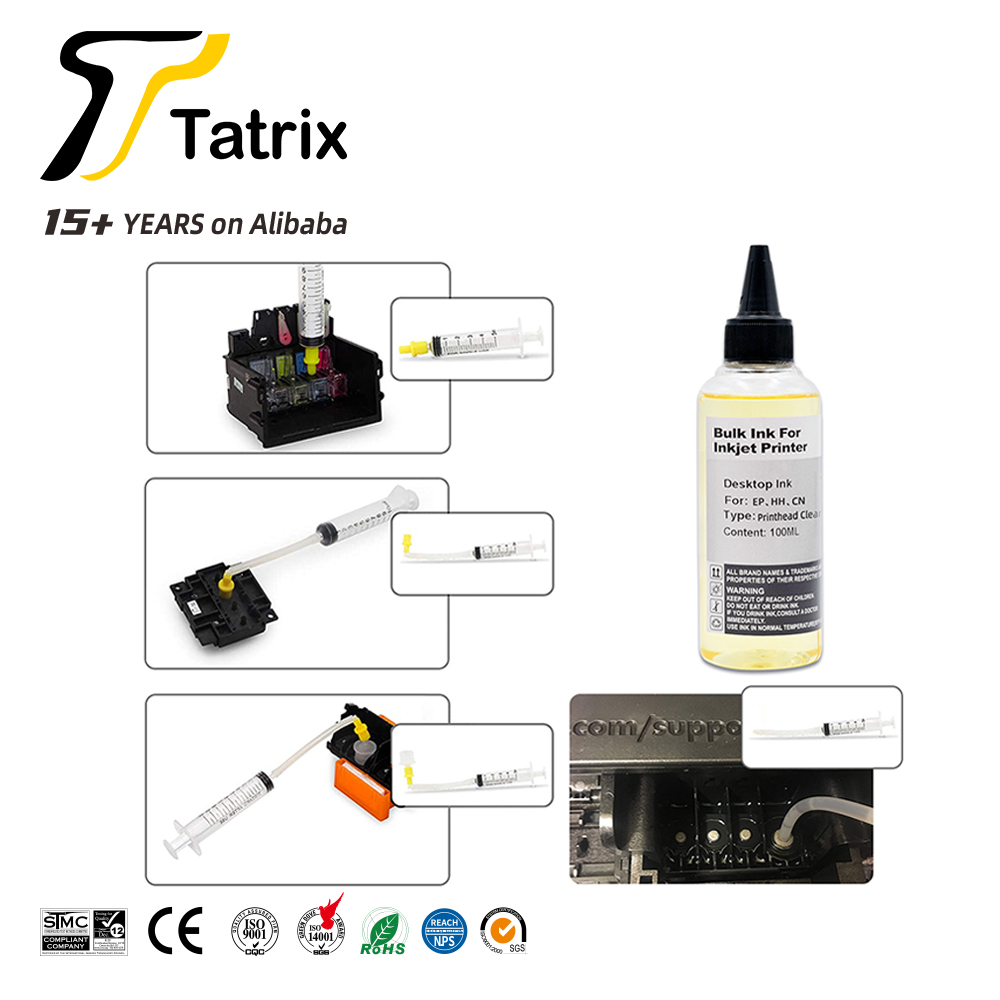
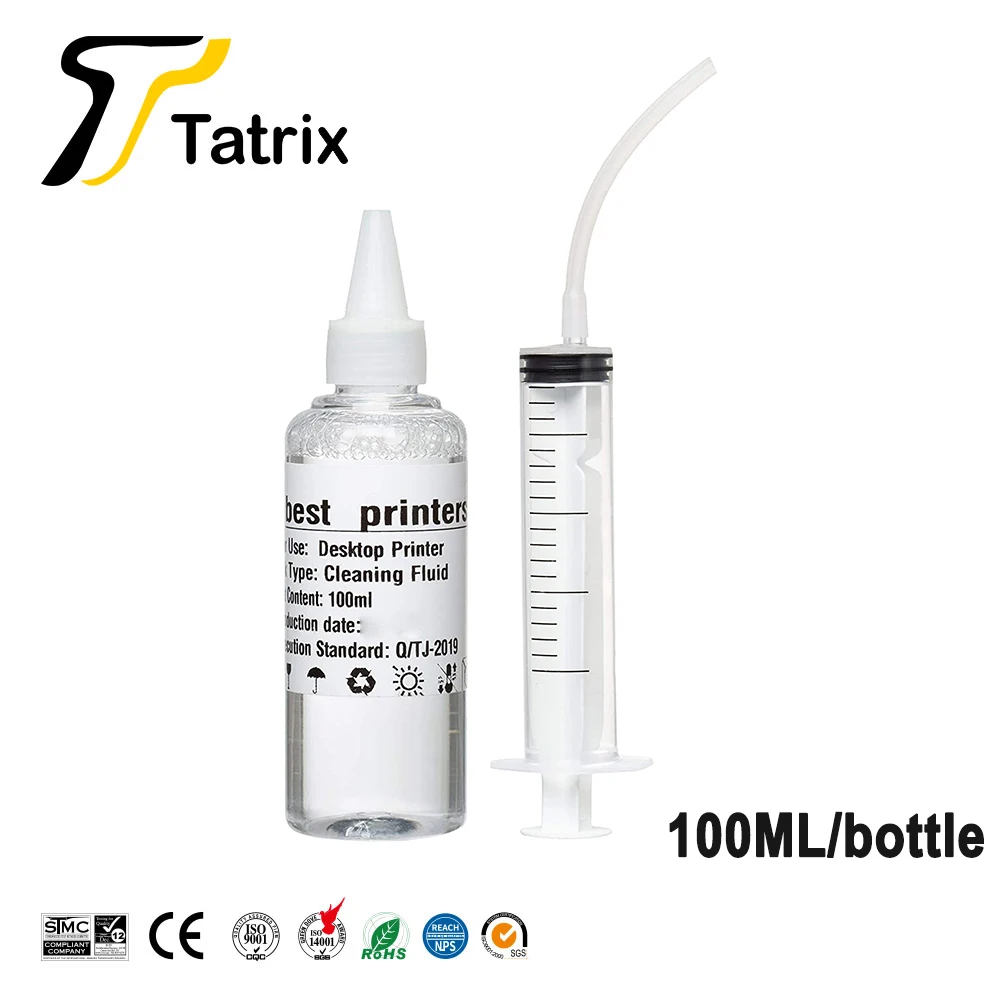
Kit Includes:
x1 Syringe
x1plastic tubing extension
x1 Cleaning Solution Fluid/ Bottle
Cleaning kit for Hp, Epson and Canon printers. Works on various printer models.
Print-head Cleaning Kit Instructions
1.Print a nozzle check pattern to identify which colors need cleaning
2. Warm up the cleaning fluid and remove ink cartridges (you can simply warm up the cleaning fluid bottle)
3. Remove print-head (if possible)
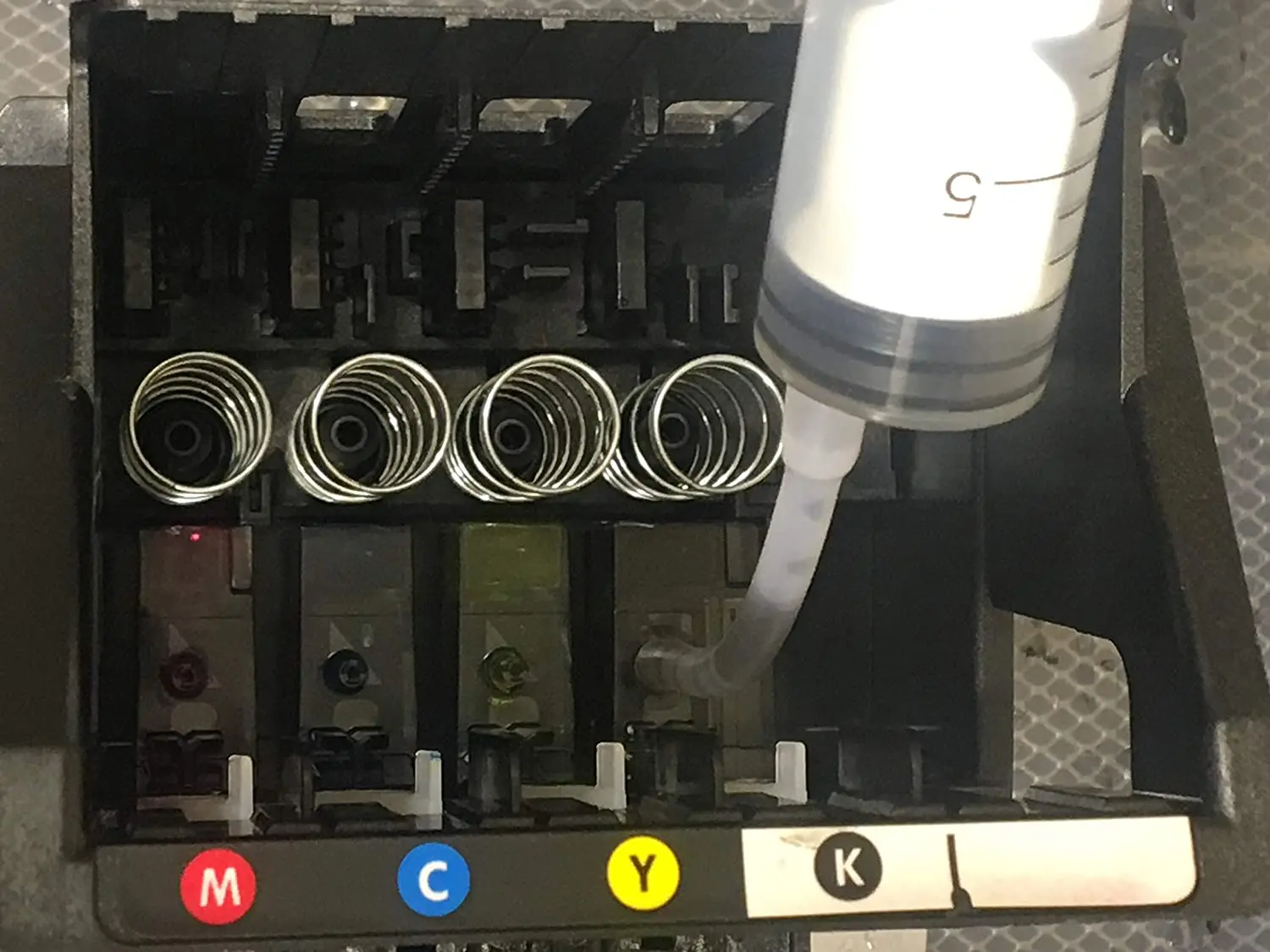
4. Connect adapters to syringe and inject fluid into each nozzle to be cleaned
5. If referred from YouTube video use both these and video instructions.
6. Leave to stand for 5 min
7. Reinstall head and fresh cartridges
8. If being used on models Hp Office-jet 4620,6830, Photo-smart 5510,5520 or 6520 Please use a glove (glove currently not included in kit).
Disclaimer
Printer cleaning is successful 95% of the time, but does require a supply of fresh ink and carries a small risk of damage to the printer. As such, we recommend using cleaning when other methods (such as the inbuilt cleaning function) have already been tried, and when the printer has no functional use unless fixed. As errors in the printer are possible in some circumstances. Safety notes Keep out of the reach of children Eye protection is recommended during use
Product use:
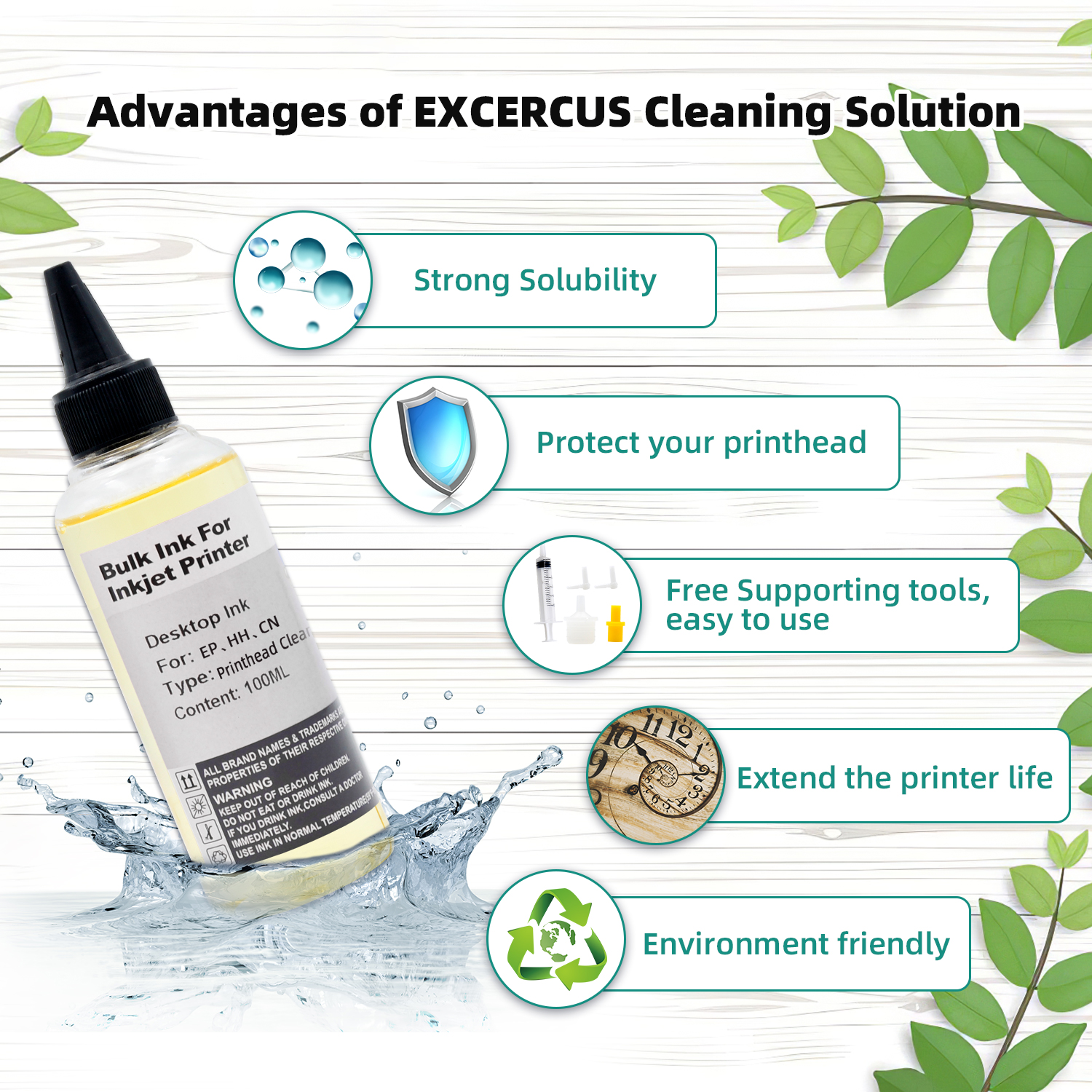
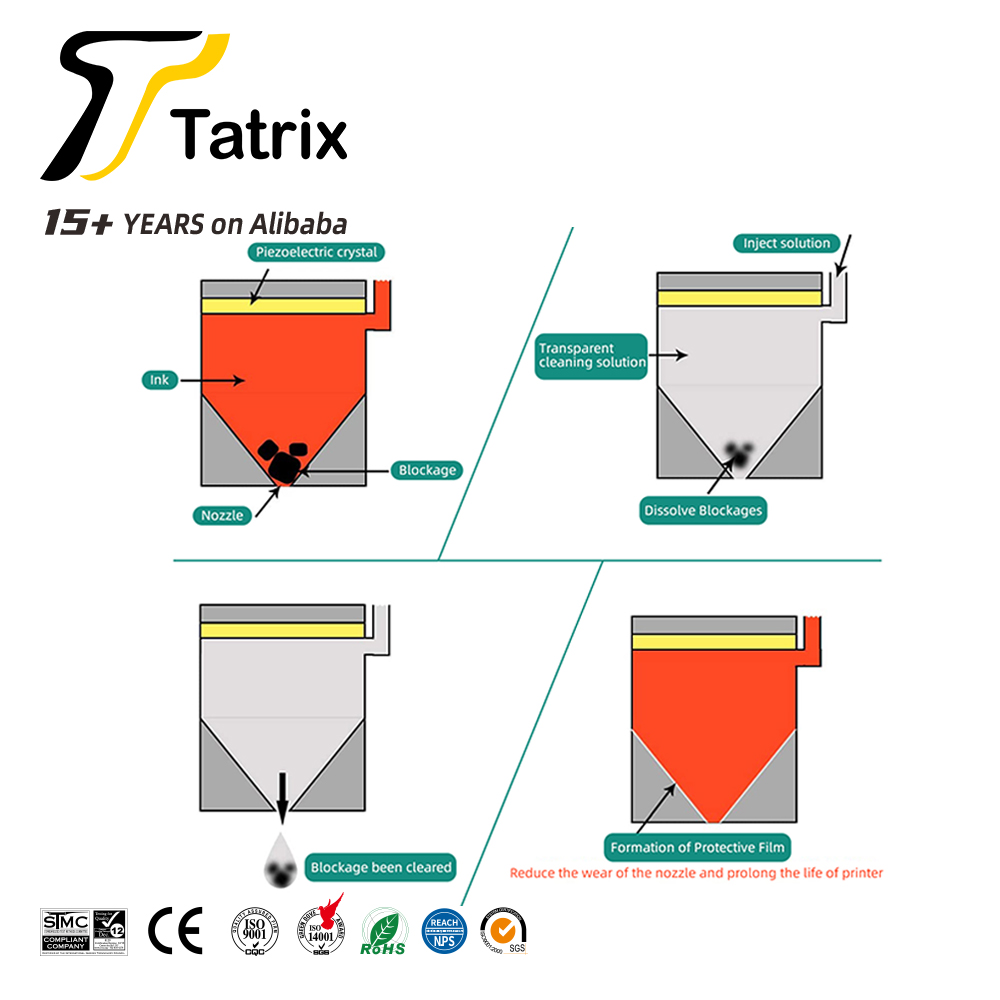
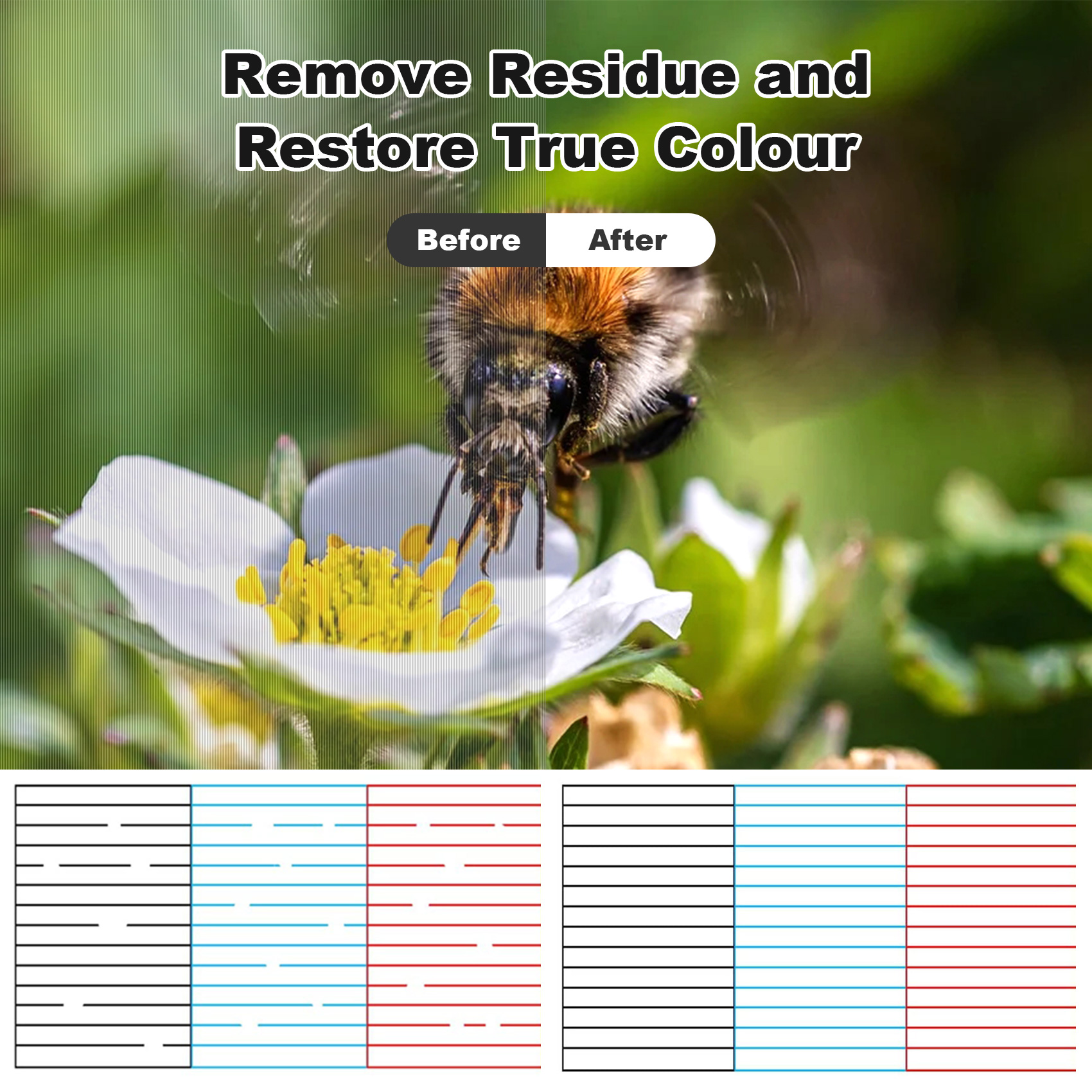
Clean the nozzle (print head) of the inkjet printer to make the printing ink smoother and protect the printer nozzle to extend its service life.
Specific application: This product can clear most of the nozzle clogging and print disconnection caused by various reasons; it is simple to operate, easy to use, and does not damage the nozzle, just a few minutes!
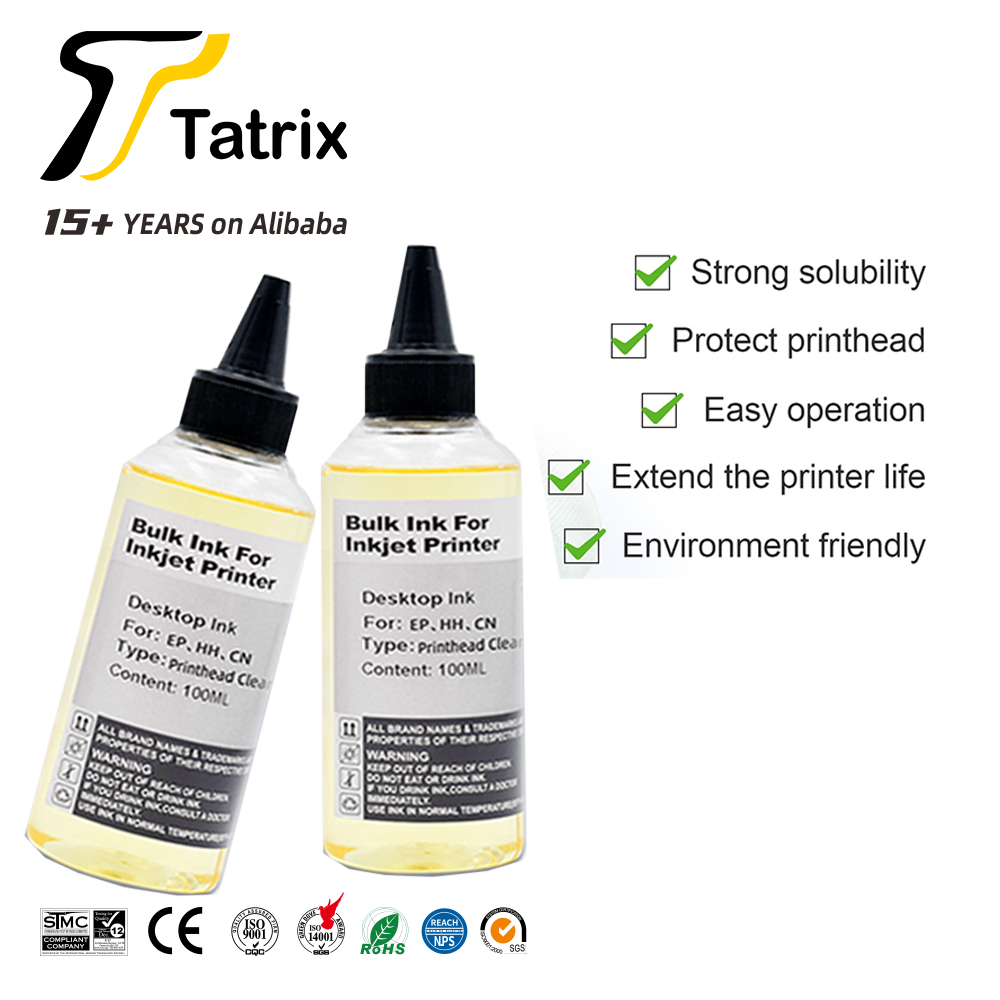
cleaning fluid has several advantages:
1. It does not corrode the nozzles and protects the life of your print nozzles.
2. The effect is obvious. No matter how stubborn the crystal is, it can be dissolved and removed as long as it is soaked in our company's cleaning fluid.
3. Low cost and cheap price.
4. Imported raw materials and our professional technology.
5. A person will teach you how to use the cleaning fluid correctly to achieve better results.
Cleaning steps:
1) Press the ink drop button to change the ink cartridge on the printer, the carriage will move to the position where the ink cartridge is replaced, unplug the power cord
2) Open the car cover and take out the ink cartridge;
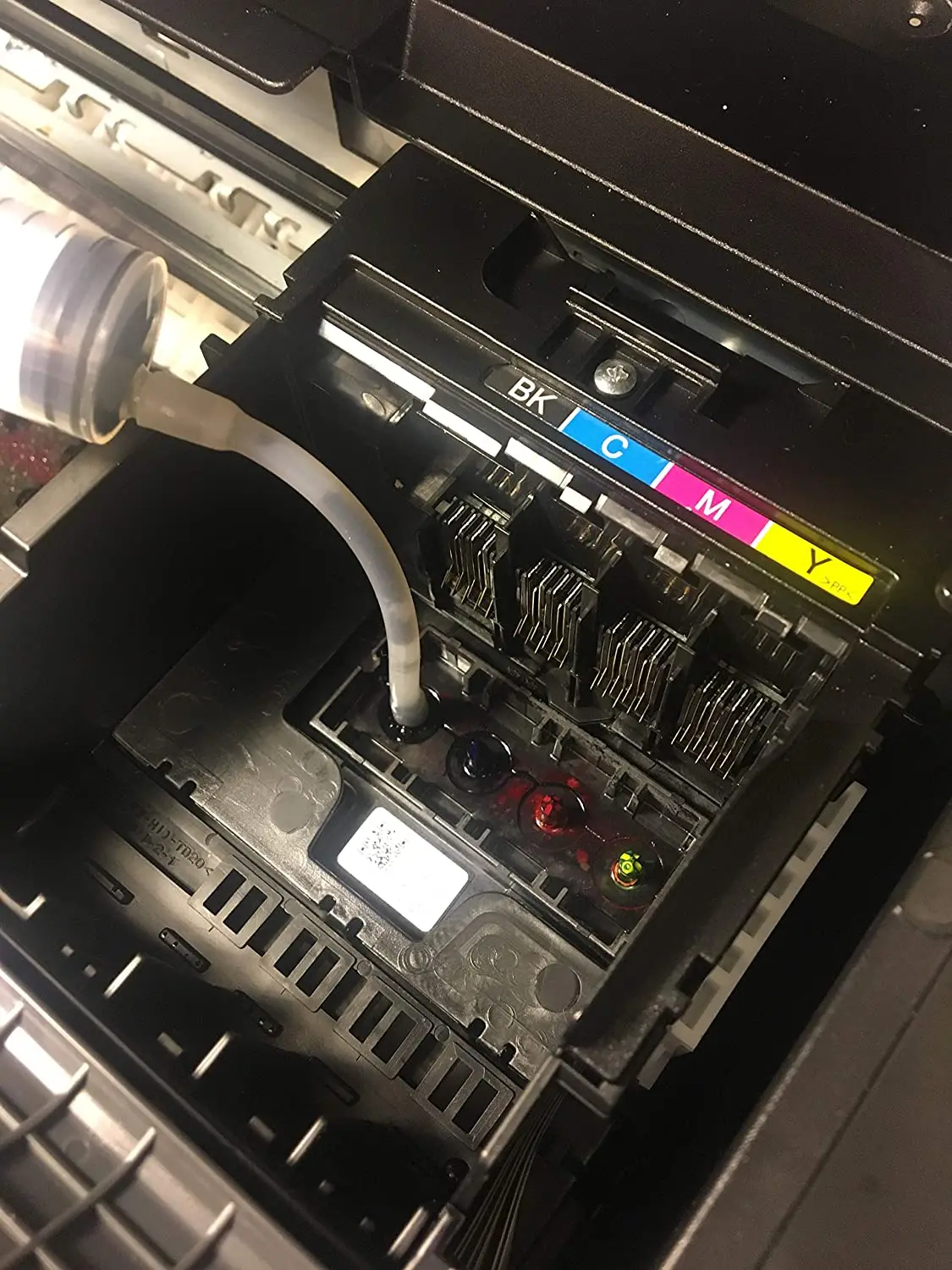
3) Use a syringe to draw out some special cleaning fluid from the cleaning fluid bottle.
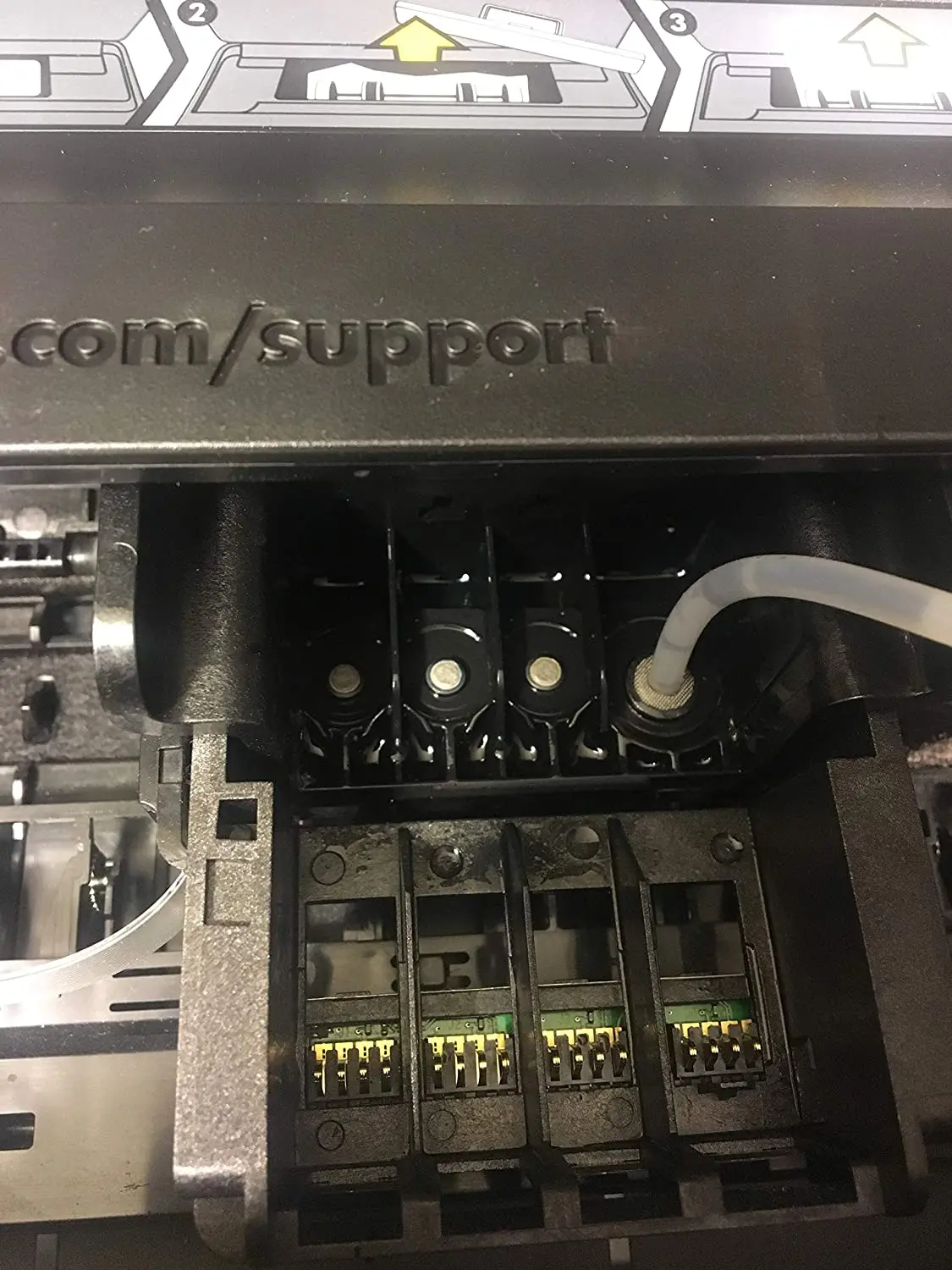
4) Put the small rubber tube on the syringe on the ink outlet in the carriage.
5) Pour 12ml of special cleaning liquid into the ink outlet.
6) Repeat the above steps for each ink outlet one by one.
7) When the power is off, put the ink cartridge back into the carriage and cover the carriage cover. Place the printer for 2-3 hours (according to the clogging of the print head), and pay attention to keeping the power off. →
8) After 2-3 hours, turn on the power again and perform the nozzle cleaning operation.
9) Please clean the ink outlet at least once every 1 to 2 months. Such maintenance can prolong the service life of the printer.
Cleaning Liquid Manual
How to use Cleaning Liquid
1.Features
1) Excellent Nozzle cleaning and capillary washing ability
2) No more Clogged nozzles
3) Toxin free anticorrosive nozzle
4) Easy to Use
2.Uses
1)Washing inside of the cartridge
2)Washing the cartridge nozzle
3)Refining the Cartridge
Step 1
Wash the old cartridge with the Cleaning Liquid
1) Use your Cleaner or put the nozzle part in the container with the Cleaning Liquid.
This will make the mass of solid ink dissolve (Caution!:No more than four hours!)
2) Remove remaining ink and Cleaning Liquid (especially around the nozzle part)
Step 2 (refill ink)
After refilling ink, extract a little ink using suction tool.
Step 3 (refinement)
1) Print your document after you refill your ink to check the nozzle condition.
2) Then replace your cartridge with the nozzle facing upwards.
3) Put a few drops of Cleaning Liquid around the nozzle part. Let it sit for 3 minutes
4) Wipe off excess liquid from the cleaning cartridge with tissue paper and seal the liquid exit with the provided sealing stopper.
5) Put the cartridge into the provided sealing bag with liquid exit downwards.
Seal the bag and place into the box for the next use
3. Black & Color Cartridge with foam (Pigment and /or Dye)
Step 1
1)Put 5-7 drops of Cleaning Liquid around the nozzle with suction. Let it sit for 5-7 minutes
2)Remove the remaining ink and Cleaning Liquid with suction through the nozzle (extract about 1ml ink)
3) Wipe off excess liquid from cartridge. Let the cartridge sit on the wet tissue for 5 minutes.
Step2(Refinement)
1) Print your document after you refill your ink to check the nozzle condition.
2) Wipe off the cartridge and seal the liquid exit with the provided sealing stopper.
3) Put the cartridge into the provided sealing bag with liquid exit downwards. Seal the bag and place into the box for the next use.
Note:
If printing still doesn't return to normal after repeating the step as above, this means your cartridge may be damaged, so it may be impossible to re-use it.
4. Signs of abnormality and printing resolution (for genera1 User)
When the nozzle is clogged
1) Run your printer's head cleaner 1-2 times according to your printer's operation manual.
2) Put 5-10 drops of Cleaning Liquid around the nozzle. Let it sit for 3 minutes, wipe offexcess liquid from the cleaning cartridge with tissue paper and then print your documents.
3) If printing still doesn't return to normal after repeating the step as above,this means your cartridge may be damaged. Therefore you must replace your cartridge.
4. Broken lines in your Document
This happens when the Cleaning Liquid is left around cartridge nozzle.
1) By printing many pieces of paper, the remaining Cleaning Liquid should disperse
When the nozzle is clogged after a long period of non-use.
This happens when ink is solidified between ink nozzle and chamber of mesh.
1) Put 10-15 drops of Cleaning Liquid around the nozzle part. Let it sit for 5 minutes,. Wipe off excees liquid from the cleaning cartridge with tissue paper and print.
5. Caution and Storage
1) If Cleaning Liquid is mixed with ink, a little is ok. But if it is mixed with a lot of ink, it causes falling off density.
2) Be careful not to put your cartridge in the Cleaning Liquid for more than 4 hours. It can damage the cartridge electronic part and nozzle chip.
3) Ventilate when you use in an airtight place
4) Clean immediately after you touch it. (It's not harmful to touch) You must cover it because it is volatile..
5) When you store it for a long time, store in a cool, dry place.
Details
This product is crafted with quality materials to ensure durability and performance. Designed with your convenience in mind, it seamlessly fits into your everyday life.
Shipping & Returns
We strive to process and ship all orders in a timely manner, working diligently to ensure that your items are on their way to you as soon as possible.
We are committed to ensuring a positive shopping experience for all our customers. If for any reason you wish to return an item, we invite you to reach out to our team for assistance, and we will evaluate every return request with care and consideration.
Shop The Full Collection


